PDF Conversion Suite2.8.0
Publisher Description
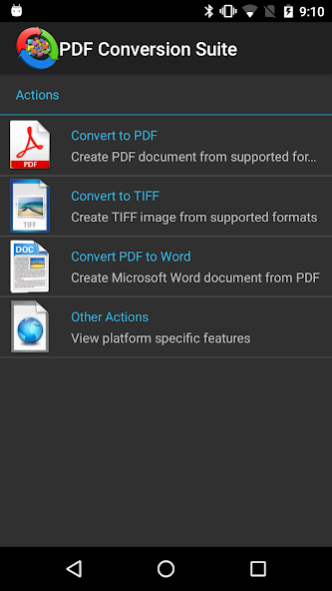
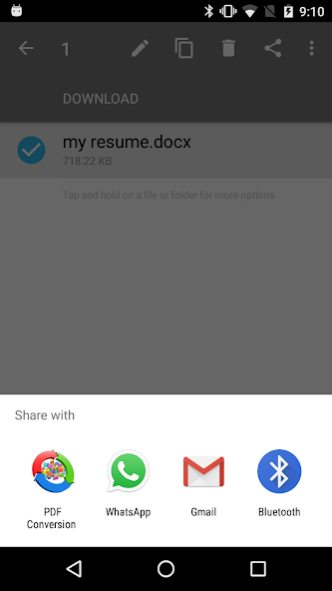

PDF Conversion Suite creates PDF or multipage TIFF from various document formats. Also it could convert your PDF file to Microsoft Word Document(docx). You just need to select action and source document to start conversion process.
PCS demands minimal application permissions from you. To satisfy this requirement it uses third-party apps (like Google Drive, Dropbox etc.) that is already trusted by users.
Currently Supported Features:
* Email ( ".msg", ".eml", ".mht" )
* Excel ( ".xls", ".xlsx", ".xlsb", ".xlt", ".xltx", ".xltm", ".xlsm", ".csv", ".tsv", ".ods", ".ots" )
* Image ( ".jpg", ".png", ".jpeg", ".tif", ".tiff", ".gif", ".bmp" )
* Word and Open Office ( ".odf", ".ott", ".sxw", ".odf", ".sxm", ".mml", ".odp", ".otp", ".sxi", ".sti", ".odg", ".otg", ".ods", ".ots", ".sxc", ".stc" )
* Portable Document Format ( ".pdf" )
* Power Point ( ".ppt", ".pptx", ".pps", ".pot", ".ppsx", ".pptm", ".ppsm", ".potx", ".potm", ".odp", ".otp" )
* Visio ( ".vsdx", ".vsx", ".vtx", ".vdx", ".vssx", ".vstx", ".vsdm", ".vssm", ".vstm" )
* XML Paper Specification ( ".xps", ".oxps" )
* Convert PDF to Word document
About PDF Conversion Suite
The company that develops PDF Conversion Suite is Tiny Smart Apps. The latest version released by its developer is 2.8.0.
To install PDF Conversion Suite on your Android device, just click the green Continue To App button above to start the installation process. The app is listed on our website since 2020-04-12 and was downloaded 23 times. We have already checked if the download link is safe, however for your own protection we recommend that you scan the downloaded app with your antivirus. Your antivirus may detect the PDF Conversion Suite as malware as malware if the download link to pdfConversion.Droid is broken.
How to install PDF Conversion Suite on your Android device:
- Click on the Continue To App button on our website. This will redirect you to Google Play.
- Once the PDF Conversion Suite is shown in the Google Play listing of your Android device, you can start its download and installation. Tap on the Install button located below the search bar and to the right of the app icon.
- A pop-up window with the permissions required by PDF Conversion Suite will be shown. Click on Accept to continue the process.
- PDF Conversion Suite will be downloaded onto your device, displaying a progress. Once the download completes, the installation will start and you'll get a notification after the installation is finished.
Program Details
System requirements
Download information
Pricing
Version History
version 2.8.0
posted on 2020-04-12
Added support for Android 10
version 2.7.5
posted on 2020-03-16
Added extra security layer (sorry for interruption during this upgrade)
Performance improvement in text based document conversion process
Support for Android 7.0 Nougat
Little UI improvement and localizations
